
Camera drawing tool · SS 455 12 01 · EN 62676-4 · SSF 1060 · GDPR
Design video surveillance in a morning – not a week
Ritverktyg, analys och handlingar för dig som installerar kameror. Direkt i webbläsaren.
Nothing to install. Works in Chrome, Edge, Firefox and Safari on computer and tablet.
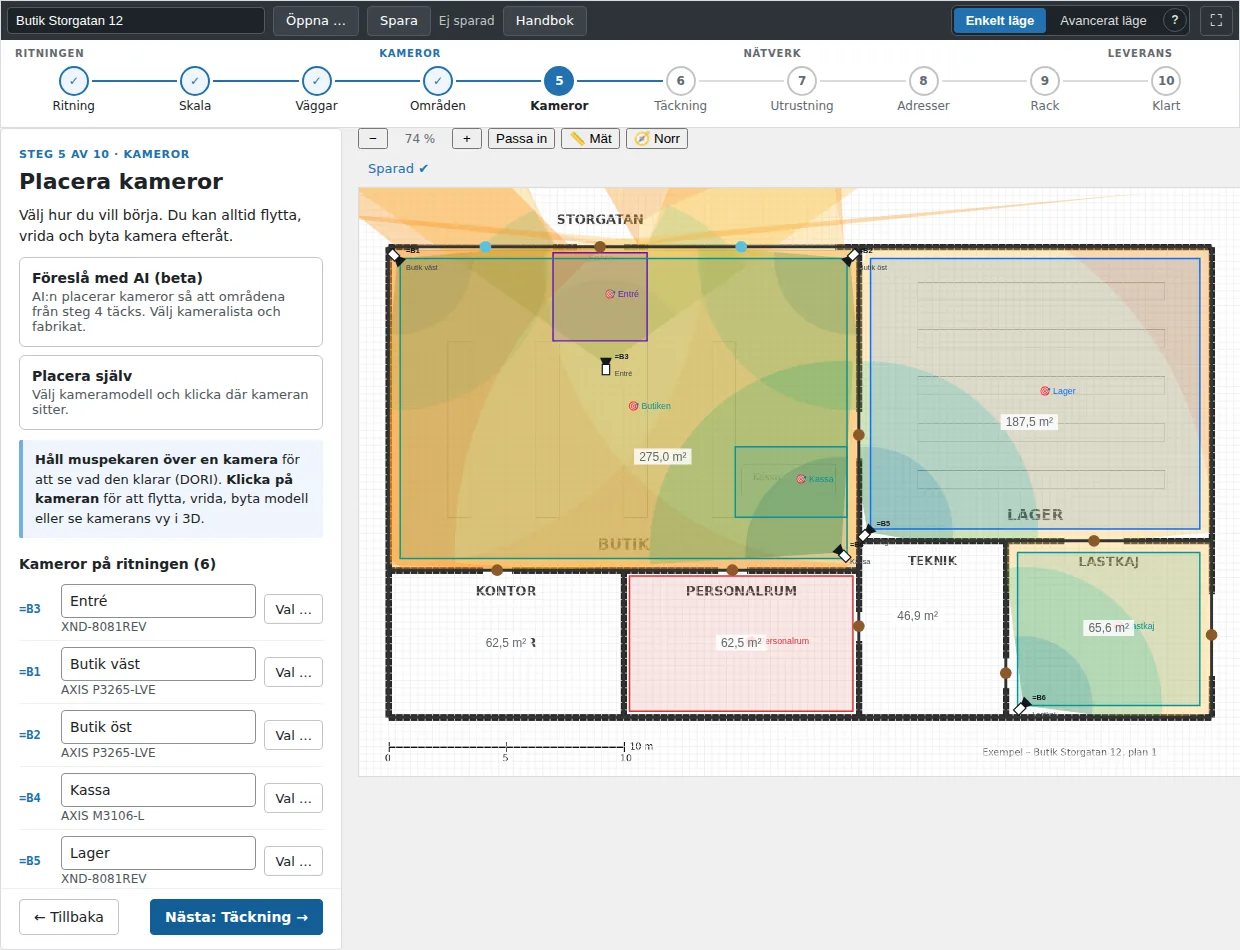
Upload the floor plan, let the AI find the walls and place the cameras – the guide takes you through it in ten steps. Coverage, DORI, cable lengths, PoE, recording and bill of materials are calculated as you draw, the documents are printed according to SS 455 12 01 and the GDPR documentation is in the same tool.
What the tool does for you
- Walls from the drawingThe AI reads the floor plan and draws the walls, doors and windows. Anything that came out wrong you remove with a single sweep.
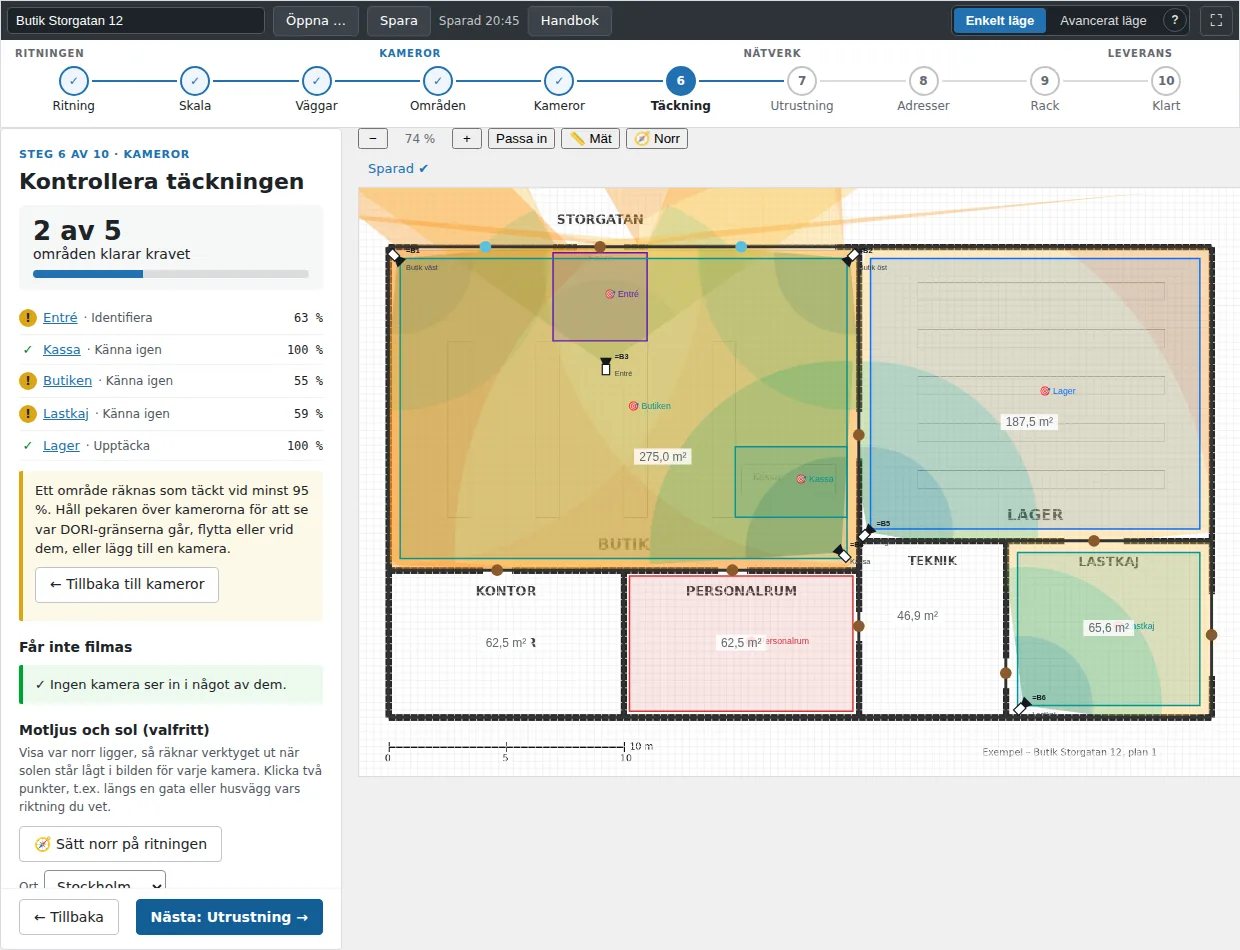
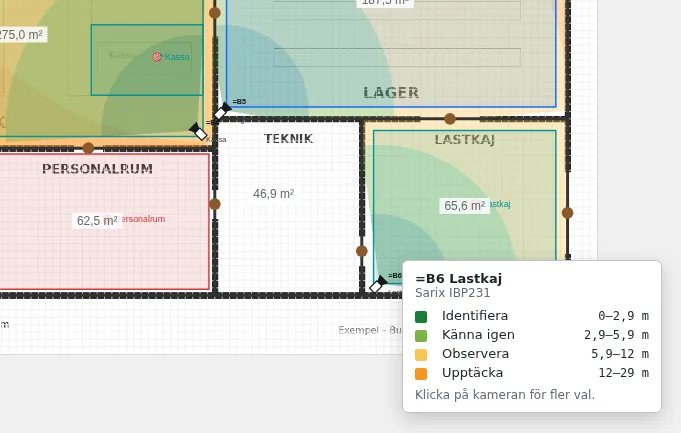
- The right camera in the right placeChoose a model from the catalogue with over 2,600 cameras and rotate the field of view. Hover over a camera for the DORI distances, and see the coverage in 3D.
- Areas and zonesZone templates for surveillance according to SSF 1060 and zones that must not be filmed according to the EDPB guidelines. The tool warns you if a camera looks into a prohibited zone.
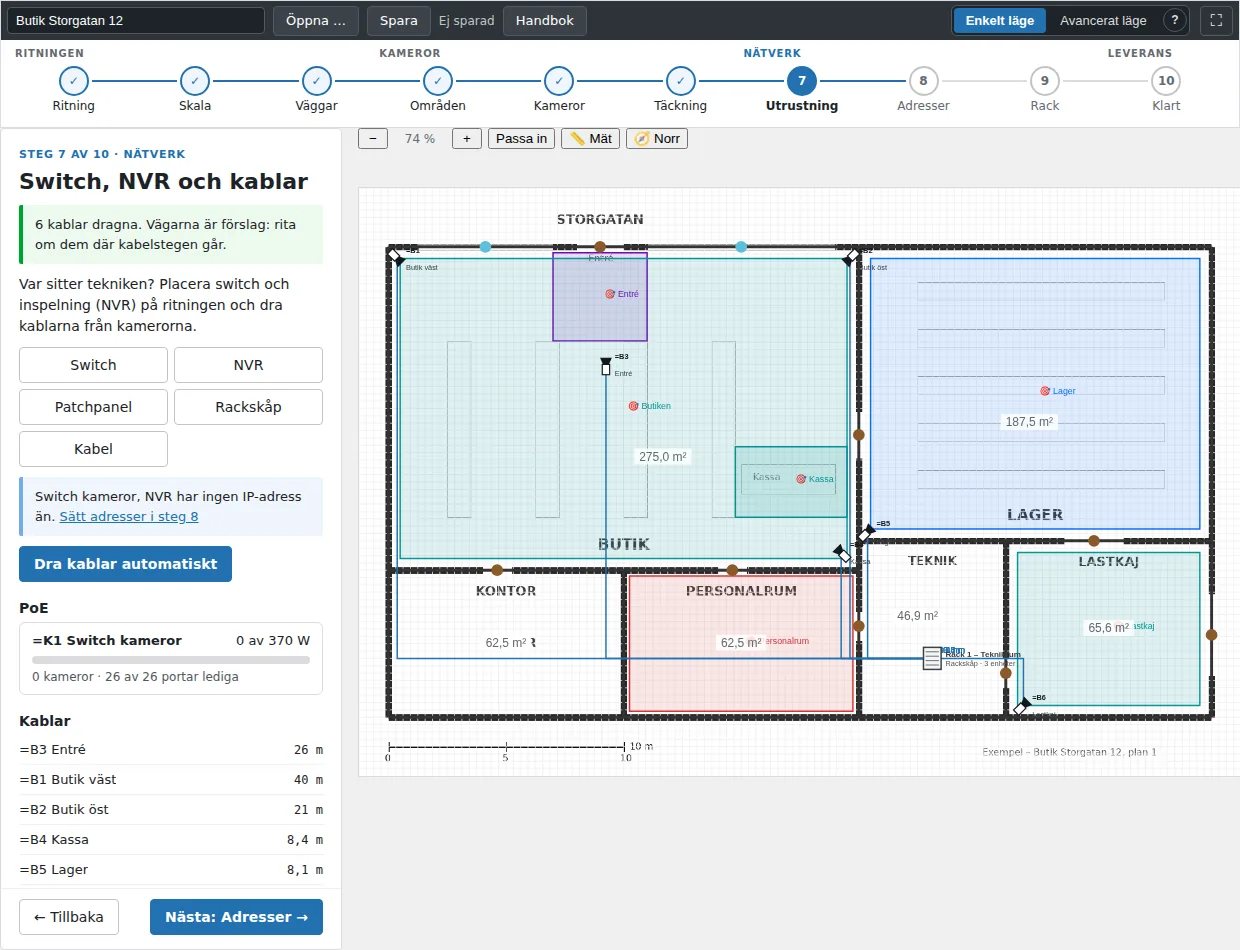
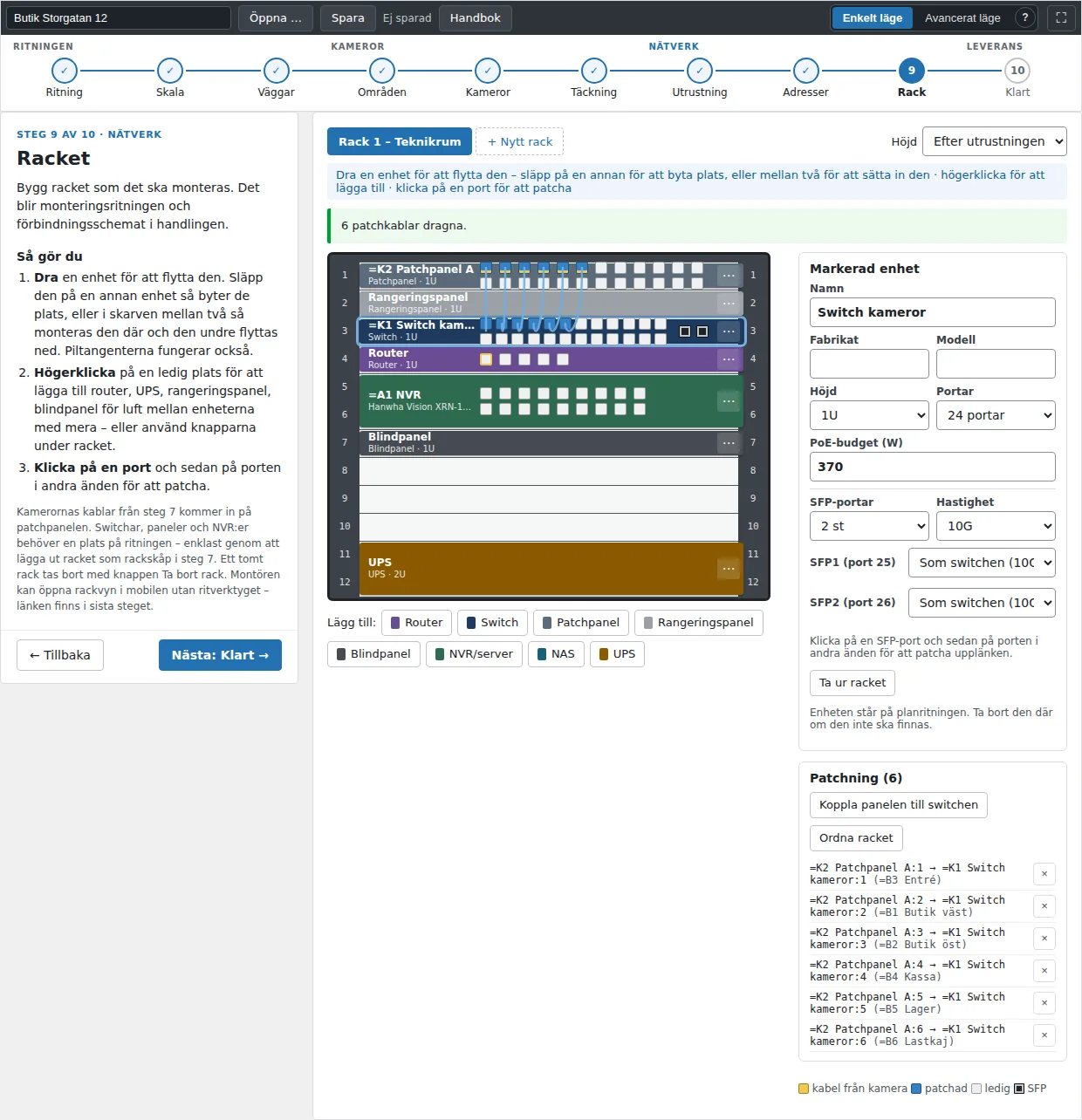
- The network in the same viewSwitch, recorder and cables on the drawing. Cable length per run, PoE against the switch's budget, SFP ports and uplink load.
- Recording and bill of materialsChannels, licences, storage and RAID are calculated per recorder. The bill of materials uses the company's own price list.
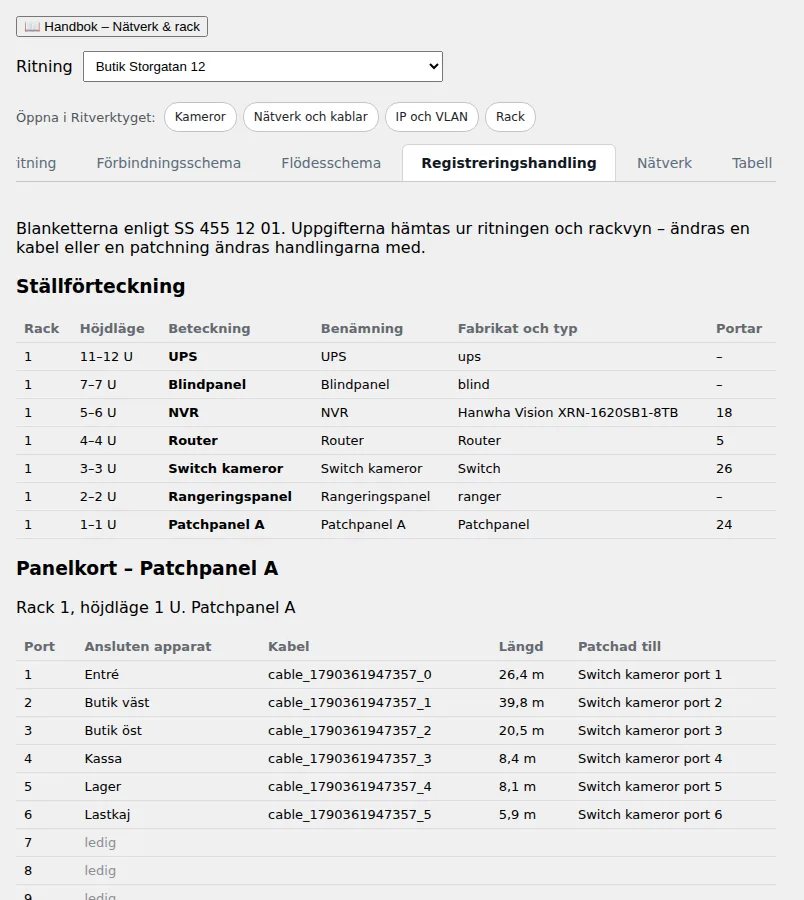
- Documents according to SS 455 12 01Registration document, connection diagram, flow diagram, network document and installation drawing – ready to print.
This is what it looks like
Would you like to see it on your own drawing?
Create an account and try it yourself, or book a demonstration and we will go through your installations.
More tools
- Fire alarm drawing toolDetectors, sounders, loops and zones according to SBF 110:8 – and the binder according to SBF 1021:3.
- Intruder alarm drawing toolDetector points, zones, alarm areas and terminals according to SSF 130 – and the annual inspection on your phone.
- Network installationOutlets, cable runs, switches and testing – the documents according to SS 455 12 01 from the same drawing.
- Camera signsSigns and information pages for video surveillance in line with the GDPR and IMY's requirements – with a QR code to the information.
- Surveillance registerLegitimate interest assessment, data protection impact assessment and register under the GDPR – per camera and installation.